On this page
- Choosing an M3U Player for Samsung Smart TV
- How to Install the App from Smart Hub
- Install Mi Player Pro from Smart Hub
- Add Your Playlist with the QR Code (Skip the Typing)
- Add Your Playlist by QR Code
- Do You Need to Activate the App on Samsung?
- Activate Your Samsung TV
- Samsung-Specific Problems and the Fixes
- M3U, M3U8 or Xtream Codes: Does It Matter on Samsung?
Plenty of M3U players exist, but most never show up on your Samsung Smart TV — Samsung TVs only run apps installed from their own Smart Hub store. So the real task is picking a player that's actually in the store, then getting your playlist onto the TV without typing a long URL on the remote. This guide covers how to choose an M3U player for Samsung Smart TV, install it in under five minutes, and fix the Samsung-specific problems that trip people up.
Choosing an M3U Player for Samsung Smart TV
Samsung Smart TVs run on Tizen, Samsung's own TV operating system, and the Smart Hub store is the only source of apps. That's the whole catch: a player without a Tizen version simply won't appear when you search, no matter what settings you change. The practical test takes thirty seconds — open Apps in Smart Hub, search the player's name, and see what comes back.
| Device | Where the app lives | What to search or enter |
|---|---|---|
| Samsung Smart TV | Apps in Smart Hub | Search Miplayer Pro |
| LG Smart TV | LG Content Store | Search Miplayer Pro |
| Fire TV & Android TV | Downloader app | Enter code 5055359 |
| iPhone & iPad | App Store | Search Mi Player Pro |
| Android phone & tablet | Google Play | Search Mi Player Pro |
| Windows & Mac | Direct download from Get the App | .exe or .dmg file |
Mi Player Pro is in Smart Hub — search Miplayer Pro and it comes right up. It's built for TV remotes, with fast channel switching, Recently Watched to pick up where you left off, and the option to hide categories you don't watch. You can add unlimited playlists, and the app collects no data and does no tracking. If you'd rather compare it against the rest of the field first, our 2026 round-up of the best media players for M3U and Xtream playlists covers the wider picture across platforms.
How to Install the App from Smart Hub
Samsung documents the same path for every app: from the Home screen, open Apps and search by name — their support guide walks through it with pictures. For Mi Player Pro, it looks like this:
Install Mi Player Pro from Smart Hub
4 steps- Press Home on your remote and open Apps.
- Select the search icon.
- Type Miplayer Pro and select it from the results.
- Choose Install, then Open once it finishes.
The first time you open the app, your 7-day free trial starts automatically — no sign-up, no credit card. That's a real week to add your playlist, flip through live channels and try a movie before deciding anything.
Add Your Playlist with the QR Code (Skip the Typing)
Typing a long M3U URL one character at a time with a TV remote is where most Samsung setups fall apart — it's slow, and a single wrong letter means 'playlist failed to load'. Mi Player Pro skips it entirely: the Playlist screen shows a QR code, and your phone does the typing.
Add Your Playlist by QR Code
3 steps- Open Mi Player Pro and go to the Playlist screen — a QR code is shown there.
- Open the camera on your phone and point it at the code.
- Follow the prompt on your phone to add your playlist — nothing to type on the remote.
Prefer to type? You can enter an M3U or M3U8 link directly in the app, or log in with Xtream Codes details: the host (server URL), username and password. There's also the Manage Playlists page, where you add a playlist from your phone or computer using the TV's MAC address and Device Key. Our complete guide to adding a playlist covers all three methods in detail.
Do You Need to Activate the App on Samsung?
Yes — after the trial. The 7-day free trial starts the first time you open the app, and once it runs out the TV needs activating to keep playing. Everything you need is already on screen: the Device panel on the app's home screen shows the MAC address, the Device Key and your activation expiry date.
Activate Your Samsung TV
3 steps- On the app's home screen, read the MAC address and Device Key from the Device panel — or use the easier methods in our MAC address and Device Key guide.
- On your phone or computer, open the Activate page.
- Enter both values and follow the steps.
Activation is per device. A lifetime license is €8.99 once per TV, with all future updates included and no renewals; a one-year license is €3.99. Each TV has its own MAC address, so the bedroom set needs its own activation — one license can't be shared across devices.
Samsung-Specific Problems and the Fixes
- The app doesn't appear in Smart Hub search: check how old the TV is. Samsung models from before the Tizen era can't install Smart Hub apps at all — Samsung's TV model groups page shows which Tizen version your set runs.
- "All playlists failed to load": the playlist link is almost always the culprit — a typo or an expired URL. Work through our playlist failed-to-load fixes.
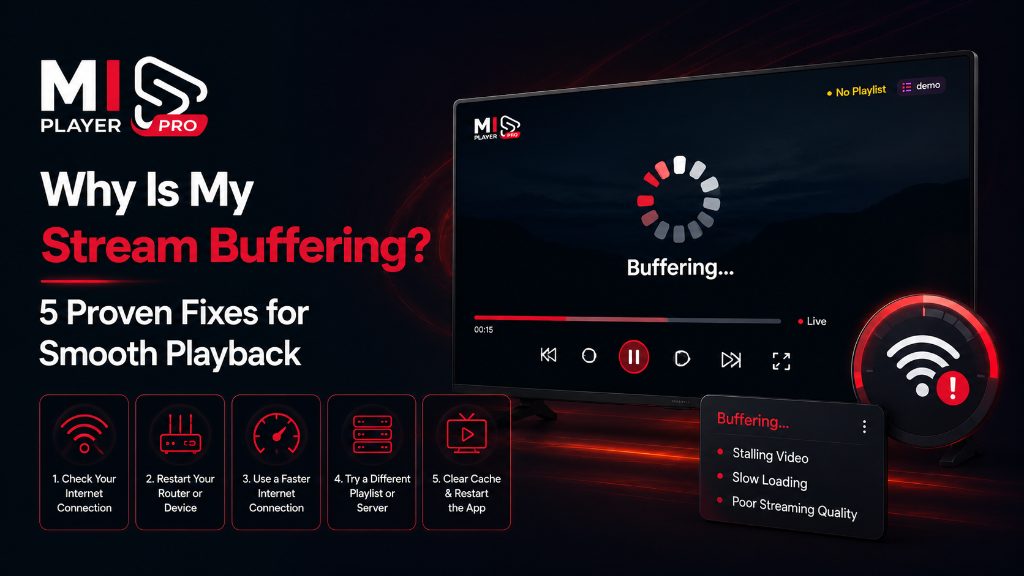
- Live channels keep buffering: plug the TV into your router with an Ethernet cable, or move the router closer. A wired connection clears up most live TV stutter on Samsung sets.
- The app is frozen or sluggish: restart the TV properly — power it off, unplug it for 30 seconds, plug it back in and reopen the app.
If your Samsung turns out to be too old for Smart Hub apps, don't fight it. An inexpensive streaming stick in an HDMI port turns the same screen into a modern app machine — and every install route, Fire TV and Android TV included, is in our guide to installing Mi Player on any device.
M3U, M3U8 or Xtream Codes: Does It Matter on Samsung?
No — Mi Player Pro plays all three formats, so there's nothing to convert or choose on the Samsung side. Add whichever playlist your provider gave you and it plays. You'll see M3U8 more often with live channels; it's the same playlist format as M3U with mandatory UTF-8 encoding, as the M3U background on Wikipedia explains. Quick way to tell what you have: a single link is M3U or M3U8, while a server URL plus username and password is Xtream Codes.
Get Mi Player Pro on Your Samsung TV
Install it from Smart Hub, scan the QR code, and your playlist is playing in minutes. The 7-day free trial starts automatically with no card, WhatsApp support answers 24/7 if a step gets stuck, and the Get the App page lists every supported device.